t●d tiny desk ai

Outstanding Tiny Desk AI: One Photo Behind the Desk

Turn one photo into a Tiny Desk concert video

Outstanding Tiny Desk AI is the one-photo trend: put a single portrait behind a book-filled desk and let the model build a 15-second chorus around it.

▧ 1 photo◷ ~15-second target▯ 9:16 portrait
Create your own ↗
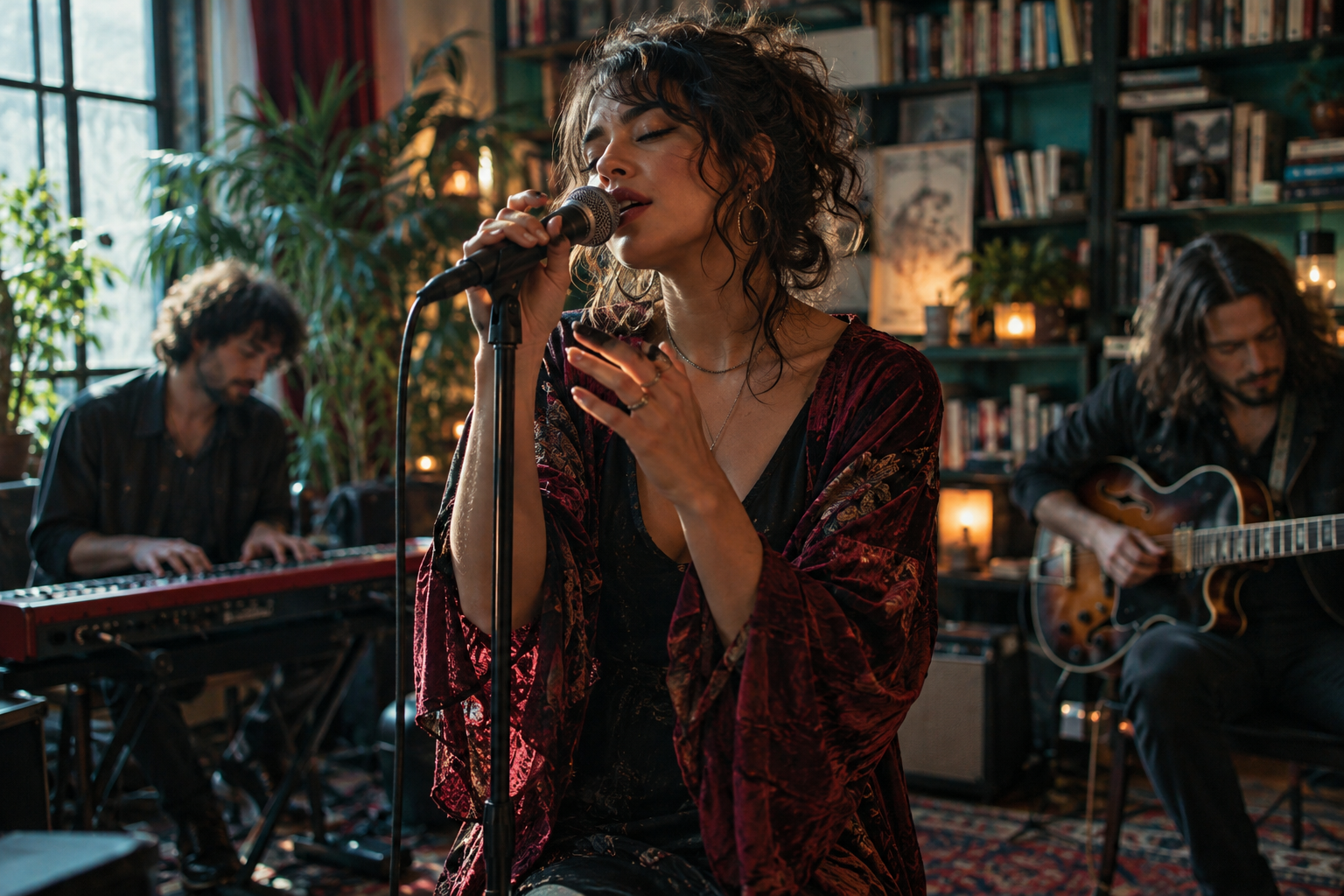
AI-generated concept of an intimate concert, not a generated customer videoAI concept imageNot a finished performance
What it looks like

Test renders from this studio

Every clip below is our own test render — not a customer video: a 15-second single-take render, a singer at the desk, and a golden retriever the model invented.

A single take, fifteen seconds

Test render — native audio, one continuous take. A single portrait sits behind the desk while the vintage microphone picks up the vocal; the camera stays close, the room stays warm, and the framing keeps the bookshelf and record wall in the background. No cuts, no lip-sync pass, no second render to stitch.

A singer takes the desk

Test render — a 15-second live-room take. Afternoon light falls across the wooden desk, the singer leans into the phrase with eyes closed, and the vintage mic holds the centre of the frame. The band sits out of focus behind her, which keeps the image intimate rather than staged.

A golden retriever takes the desk

Test render — the model put a golden retriever behind the vintage mic. Same prompt, same desk framing, same audio bed, and the model simply chose a dog as the performer. It is a useful look at how literally the reference is read, and why the photo you choose matters more than the words around it.

Test renders are for reference only; results vary by photo, tool and reference clip.

What the trend is

What is the Outstanding Tiny Desk AI trend?

Charlie Wilson sang The Gap Band's "Outstanding" behind the NPR Tiny Desk in 2023. In October 2026, a TikTok creator put college football coaches behind that same desk — and the "outstanding tiny desk set" took over. The trend recipe is simple: one clear portrait, a fixed 9:16 reference of that scene, and a 15-second performance. This studio drops the fixed reference: the model builds the room around your photo instead.

These clips are fan-made and AI-generated. They are not real Tiny Desk performances. This page is an independent guide — not affiliated with NPR, Tiny Desk, Charlie Wilson or The Gap Band.

The trend works because the desk never moves. Once the reference is fixed, anyone can step behind it: a coach, a singer, a friend, a pet. The portrait does the work of casting, and the 15-second performance does the work of proving the resemblance. That is also why the photo rules below matter more than the wording of any prompt.
Create your concert

01 Your photos
Lead performerRequired
From your computer

Clear faces, one photo. Front-facing, well lit, no sunglasses.

Or scan a QR code to send a photo from your phone

02 The performance
♫
Trending concert recreationDesk, mic, warm room — built by the model

15-second performance · 9:16 vertical. The room is generated by the model; this image is a concept, not your finished video.

03 Shape
Portrait · 9:16About 15 seconds

Full performance target. The local test is a separate 5-second clip.

Sign in, buy a credit, then generate.

Your workflow preview9:16 portrait
Concept scene for the concert template
Concept image · not your generated video
The concert concept

Your place
at the microphone.

Photo overlay is a local preview only.

Upload one photo, sign in with Google, and generate a 15-second concert clip. Each video costs 1 credit.

From camera roll to front row

How to make an Outstanding Tiny Desk AI video from one photo

01

Choose your portrait

A sharp, front-facing photo gives the scene a clearer starting point.

02

Follow the reference

One trending concert reference, with its camera framing and original music. A vertical performance of about 15 seconds.

03

Generate your 15-second clip

Add one photo, press generate, and the model builds a vertical 15-second performance with sound.

What you get

Outstanding Tiny Desk AI: what you get

Upload one photo and the model builds a 15-second office concert around it — wooden desk, bookshelves, warm lamps and a vintage microphone. The room is generated by the model, so framing can shift between takes; your photo decides who performs. That is why two runs from the same portrait can look different.

Pricing

$4.99 one video · $9.99 two

Pay by card. No subscription, no account fee — you pay per video.

Sign in to buy — your videos stay attached to your account.

Tiny Desk AI FAQ

What is the Tiny Desk AI trend?

Charlie Wilson sang The Gap Band's "Outstanding" behind the NPR Tiny Desk, and within days people were using AI video tools to put everyone else behind that same desk — college football coaches first, then friends, pets and characters. The recipe is simple: one clear portrait, a fixed 9:16 reference of that desk scene, and a 15-second performance.

Can I use a photo of myself?

Yes — that is exactly what this trend does. Use one sharp, front-facing photo with the face unobstructed. Avoid side profiles, sunglasses, heavy filters, dark or blurry shots, and faces that are too small in the frame.

What do I need to prepare?

Just one photo. Upload it, press generate, and the studio handles the performance, framing and sound.

Can I put two people in the video?

Not yet. The studio generates one performer from one photo; two-person scenes are on the list but not supported today.

What photo works best — and what doesn't?

Works well: face toward the camera, eyes visible, even light, one person. Avoid: side profiles, sunglasses or masks, heavy filters, tiny faces far from the camera, and blurry or very dark photos.

Is this the real NPR Tiny Desk?

No. This page is an independent guide to a fan-made AI trend. It is not affiliated with NPR, Tiny Desk, Charlie Wilson or The Gap Band, and the clips people make are not real Tiny Desk performances. Use your own photos, and don't present a generated clip as real footage.

Do I need another tool?

No. You can make the whole clip here: upload one photo, press generate, and the model builds a 15-second vertical performance with sound.

Do I need an account or a payment?

Yes — sign in with Google to buy and generate. A video is $4.99, two are $9.99, and credits stay attached to your account.

Upload from your phone

Connect your camera roll to this studio.

The temporary phone link can upload a photo only. It cannot access your results or make a payment.